Categories
SXSW '11

Ordering Disorder: Grid Design for the New World

Presenter
Khoi Vinh, Subtraction.com

History

A dot on a piece of paper is randomly placed, when you add a 2nd dot, you suggest something hidden. There becomes some sort of order, maybe everything is placed there for a specific reason

Any two marks on a single plane is enough to create a grid, a design, an order.

Man has always tried to find order in nature. Is there a hidden sense of order in the world around you?

The international paper standards are designed off the idea of fractals. You divide in half then half, then half again to get paper standards.

The first grid that mattered to people was the brick. You build a wall. When you put together a lot of walls (city) you start to create a grid for society.

The Power of Grid for Design

Grids add order continuity and humanity to information. They allow an audience to understand  information and predict where to find new information. Grids make it easy to ad new content consistent with existing content. They facilitate collaboration between people.

History

There is a parallel between engineers and designers in standardizing the way things fit together and function in the world. Try to derive beauty from the machine. Past: printing press, current: web browser.

Designers acting like tyrants

It’s about imposing that order we see in everything on the things around us. You have to push to get that order.

Using Grids on the web

Problem solving before aesthetics. You serve the user experience. The simpler the more effective. When working with grids, you start to stop thinking about the noise and just prioritize the grid.

Steps

  1. Research – prioritize and catalog before you jump in.
    -technical constraints
    -business constraints
    -content/editorial constraints
  2. Wireframing
  3. Preparatory design – do the math, sketch, calculations, page sketches
    -Not every sketch ends with a grate design, but every great design starts with a sketch
    -Sketch the way that makes sense for you (pencil/pen/illustrator/HTML
    -Sketch throughout the project (go back and fourth)
  4. Visual design
  5. Code
    (in whatever order works for you)

16 unit grid = 8 columns = 3 regions (2 columns and 3 columns) = 2 fields (horizontal regions)
Units are a base atomic level of the page, columns are containers for text.

Mathmatica Formulae

The golden ratio and fibonacci sequences works, but doesn’t need to be exact. Divide by 1.618.

The rule of thirds is an important rule. Bundle things into a group of three. 3x3x3, where the grid lines intersect is where the eye will go.

The power of constraints

The Ad Unit
It can be very helpful to have an ad unit around which to build your grid. This is something that doesn’t change or move. It helps to make a lot of decisions.

The View Window
How will it be viewed. Browser window 1024×768 (real: 960×950).

Sketches
Really quick and rough, they don’t necessarily need to hook to the grid.

Grid it up!
Start hacking away at the page and begin moving things around. The anchor (ad) can only fit into certain spots and will give you a starting point.

Sample typesetting
Determine the optimal line measure in the main body that you plan to work with. The human eye can comfortably 60-80 characters on a line. Once you have you sweet spot for text, try putting it into multiple columns as well to see how that works. Font size will also help to determine the line spacing. The heavier the text, or wider the character, the more line spacing you’ll need. The grid is a guide. Overly strict adherence is not necessary.

Establishing Fields (vertical grid)
You have to deal with unknown heights. Golden radio: 960 (height) divided by 1.618 = 593.

Designing the page template

Place the logo, maybe a login on right (by ad)

When placing navigation, put the edge right up to the grid. Sometimes with different states (mouse-over) you can nudge the nav elements over consistently

Fluid Grids

Use the full width of the browser to display content. You still want to use the grid to guide size of elements and consistent placement of elements. It’s new, so best practices are still being developed.

Users crave landmarks. Users want elements that appear the top findable at the top. They want a shared user experience. Designers should not be erratic.

Devices should behave consistently. Behaviors should be consistent with each device. Behavior variations should be virtually unnoticeable.

More than layout changes. – content needs to change to – there needs to be more of it or less of it, accordingly.

Is it worth the expense? The answer might not always be yes. It might make sense to just use a fixed solution for one device or another device. Satisfy what the user expects out of the design experience.

Conclusion

Grids are a balancing act. Design aesthetics can be changed going forward.

The grid is an opportunity to benefit from the past, not to recreate it.

For grid principles to effect a truley positive charge… the esigner must adapt them to new solutions.

Categories
SXSW '11

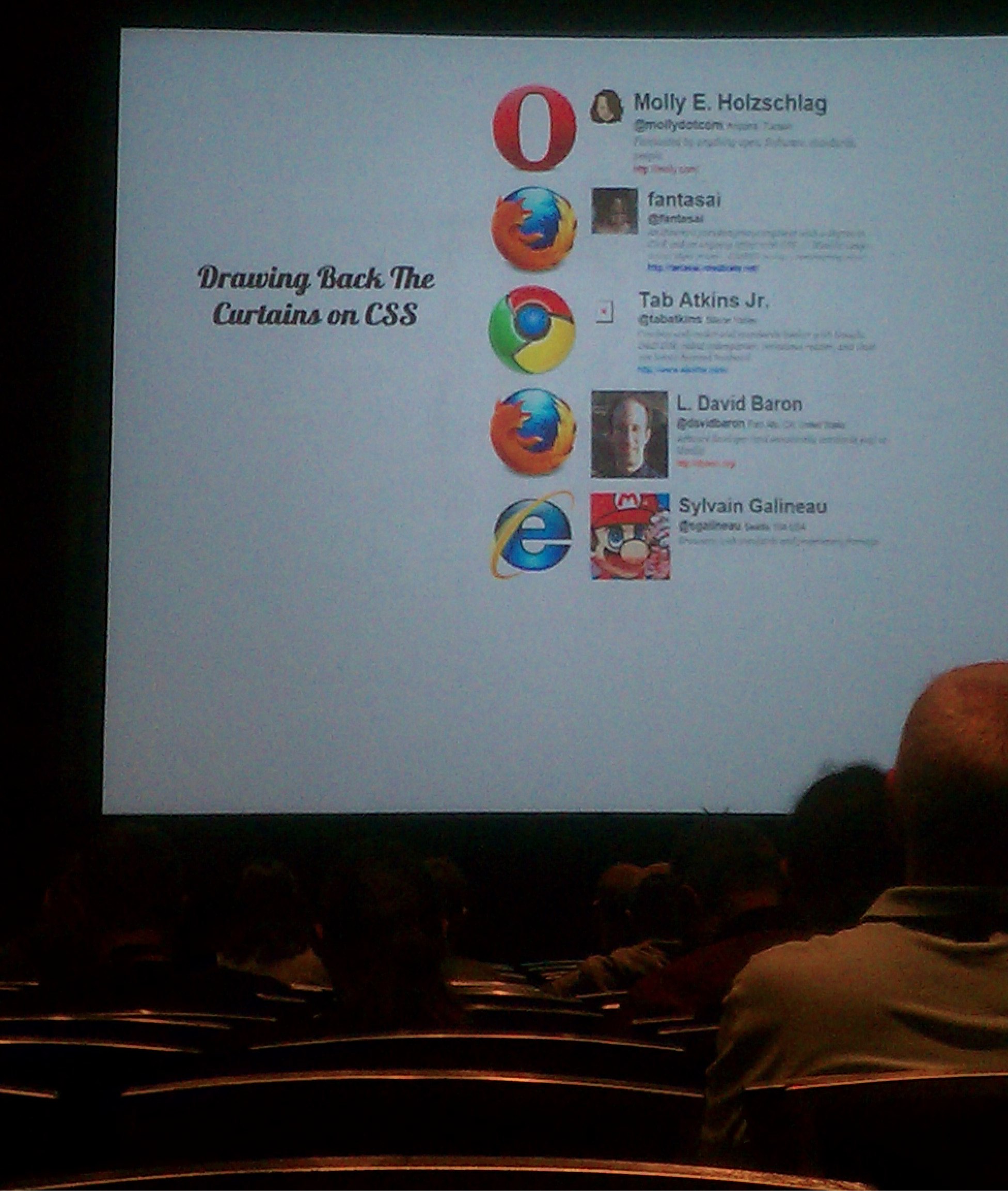
Drawing Back the Curtains on CSS Implementation

Presenters
David Baron
, Mozilla
Elika Etemad, W3C Invited Experts
Molly Holzschlag, Developer Rel, Opera Software
Sylvain Galineau, Microsoft
Tab Atkins, Google Chrome

All members of this panel are part of the CSS working group.

Minutes from the CSS working group go out online every day… so keep up with what we’re doing and provide input.

How do you prioritize at the W3C?
What is the most interesting and fun to work on? Figure out where it is hard to develop websites in CSS, that’s where the time is spent.

Prioritize to specs that are really stable, or exists in other browsers already. IE doesn’t like to prototype in the browser. Also look at what people are asking for.

Specs need to stew a little while. They need to sit for a while on the heat before implementation. There should be time for collecting feedback. If there isn’t a lot of feedback, then it needs to sit a little longer.

You have a lot of opportunities to comment on standards. Tweet, or comment on the minutes. The working group is interested in feedback. http://www.w3.org/blog/CSS/

There are new features that make things easier, and new features to do things never done before. Sometimes more feedback comes from the things that you can do easier because they are fixing frustrations developers already have.

What do you think are the most damaging mistakes made by the CSS working group?

Fantasai: Making the width property not including border/padding. The current box model is not the best way.

Tab: Layout: This was short-sitedness, but CSS it was a document language, not for layout. Floats are being used for something they weren’t intended to do (they were meant for images and text).

David: Some of the most damaging mistakes were when the group made things more complicated than necessary. We hid some specs away to deeply in a document, a spec was interpreted in a way that lead to complexity (and browsers interpreting things incorrectly).

Sylvain: Floats are baffling… why not just position it like everything else? They are very fragile in actual use. Z-index is also a bit strange. Missing: at this point we don’t have a CSS substitution mechanism. Instead of adding to a style sheet, find a way to substitute… add more process information as it scales.

How come in 20 years of web we have not come up with a reasonable way for layout?

Tab: Layout managers are bad everywhere. It’s hard to do layout in a way that is easy to use. Flexbox, Grid, Position, Regions are coming soon. Soon these times will be available for CSS layout

Fantasai: Layout is hard to implement. Width and Height took a LONG time to implement. It’s a hard thing to add to webpages incrementally. On the web it’s not as easy as in print where everything is fixed. Websites are fluid, which adds complexity. The systems that people come up with for print don’t necessarily work in CSS.

David: It is important to look at different use cases for layout. Do we want one system for many use cases, or different systems for each use case? What are the use cases we need to solve?

Sylvain: Layout of what? An ad for a magazine are very different than say, UI. You can’t solve everything for everyone.

What’s coming in IE9

Border radius
Multiple backgrounds
Shadow
Typography
Grid
Flexbox
Fonts
Transitions (w/out javascript)
Image values (gradients)

What’s coming in Chrome?

Many types of typography improvements

Categories
SXSW '11

The Connected Car: Driving Technology

Presenters
Jessica Steel, Pandora
Joe Berry, Verizon
Nick Pudar, OnStar

The primary task is getting people from point A to point B easily.

Pandora started on just the web, but the vision was larger than that. They wanted to redefine radio. The promise of the the internet for radio is personalization. The Pandora service caters to individual’s taste. This experience should translate everywhere our listeners want to hear radio – and that means in the car.

How do we get data to cars and let them communicate quickly and easily (and cheaply).

What motivated sync technology?
It started at just a hands free device. Why don’t we give it an aux jack, then why don’t we give it a usb jack, then why don’t we hook it to a phone. It became bigger than just hands free. So we changed the way we looked at the problem from that way instead. It started as something fun. Why don’t we find an app that works well on the phone and just for fun bring it to the car.

It was hard because the development cycles in the automotive industry were longer than the typical cycles in electronics.

4G will change the game and open up the bandwidth to be able to do more things. It’s not the speed, but the bandwidth with which data can get to a vehicle. Just like people created apps for smart phones, you will see this type of thing (categories and products and services) for 4G. It changes the payload.

We’ll be seeing a lot more devices delivering internet that didn’t before. It isn’t inconceivable that all of our appliances will have that connection.

What are the things you’ll have to do differently with all this mobile technology?
Safety is important, but they want it to be seamless as possible. Developers need to consider making apps for the vehicle in the most responsible way possible.

Categories
SXSW '11

Matt Mulenweg Interview: The Future of WordPress

Presenters
John Battelle, Exec Chairman Federated Media
Matt Mullenweg, Automattic/ WordPress

WordPress has become more than just a blog. There are 13-thousand + themes that make it more than that. Currently about 12% of the web is powered by WordPress.

Stats:
How many people go to WordPress.com?
29-million uniques/month 330-million/month on WordPress.org

It’s invisible when at it’s best and it’s just a tool. It’s all about the people who create it.

Some bloggers said blogging is dead
There are a lot of different mechanisms for publishing on the internet. WordPress adds a blog every 2 seconds. As people grow more comfortable with publishing, the number of bloggers grows as well.

People say blogging is dead because of Tumblr and Twitter.
Tumblr
– It’s a fantastic product and works really well for photos. Tumblr gets about 90 page-views per visitor and currently are ahead of WordPress.
Twitter – They have integrated the reading/writing experience. You are one step away from writing when reading.
What have these services inspired you to do with WordPress?
It has made us pay a lot of attention to mobile. Twitter gives you everything your friends say very very quickly.

Ads on WordPress.com
Ads only show at the bottom of a post for those coming from a search engine direct to a permalink and are not using Firefox. The ads are needed to pay the bills, but they don’t want them to be totally intrusive. In Twitter, ads are tweets. In WordPress they are just another smaller thing on the page. The goal is to show as few ads as possible.

How else do you make money?
Upgrades. Akismet, and video services. It is a user saying, “This is valuable” and they open up their wallets and give money.

Jetpack
A new plugin for wordpress that brings the best stuff into a single plugin for wordpress.org – things that have been in wordpress.com for a while. The goal is to have feature parity between .com and .org

Guided Transfer
For $99 we will help you move off wordpress.com and get you out on your own hosting.

Recent DDOS
A botnet was pointed at wordpress.com filling up the “tubes.” It was possibly politically motivated (Vietnamese sites). It was mainly coming from China. Turns out it was not politically motivated. It was some gaming related site.

Your story is similar to others (own company with lots of venture, young)? What have you learned by being the young tech founder?
It started at SXSX in 2002 when 19yrs old. It started in Houston and was good to be outside Silicone Valley. The more I’ve given away, the more I’ve gotten back. It was built on an existing open source product. They got so much out of that open platform they were building on that it made sense to give back.

Talk a bit about WordCamp
Started about 5 yrs ago in San Francisco, and wanted to do an even like everyone else.  Could we create a free, or cheap conference to help the community to exchange knowledge. Now they are happening all over the world. They are mainly community driven. We’ve created a template to help other people do them.

Twitter Questions:

Can you deflect future attacks?
We always learn something. We now have a better relationship with the Tier 1 providers to make it better next time.

I want to know about the future of WordPress!
3.1 just came out, 3.2 work hasn’t started. Things to come… media! Image handling, video handling, audio handling. Full-screen mode improvements to make it a really great writing experience. First users are authors (bloggers) everything else will follow.

Categories
SXSW '11

No Child Left Inside: Mobile Tech Meets Education

Presenters

  • Drew Davidson, Director of Entertainment Technology Center Carnegie Mellon
  • Jared Lamenzo,
  • Juliette Lamontagne,
  • Rebecca Bray, Smithsonian Instituion
  • Richard Scullin,
  • S Craig Watkins, University of Texas Austin

New federal grant opportunities are being provided to get students outside. “No Child Left Inside”

75% of American teens have a cell phone.

What is Citizen Science? How does it connect to a classroom?
There are plenty of things to explore wherever you are. Mobile technology quantifies what kids are learning outside and helps them through the thinking process or naming etc. It helps kids interact with the world around them, and collect data about the things they are learning and seeing.

We want kids to see how they fit into the world and how they can make an impact.

What are the benefits of being outside? It doesn’t always mean that a kid will learn while out there.
It’s about closely observing things that you see every day and getting people to observe a little more closely

What Challenges to you face?
In some big city schools technology is not allowed (can’t have cell phones and use YouTube because it’s blocked. Eventually they’ll start to allow this.

Is the mobile an add-on to traditional learning?
It’s not just about one single location. People have access wherever they go. Sometimes the teacher isn’t the one who provides the knowledge. It gives the learners a bit more space to inquire about something. They might be able to look something up that the teacher doesn’t know.

A recent study was done of students. The control group used brochures and compared it to kids using mobile phones. There was a big difference in the feelings towards the environment and their interest in a scientific field.

What’s exciting in this field?
Augmented reality.
More sensors on the phone.
Bringing this technology into the classroom and allowing it.
Don’t teach for the test, get students to be well-rounded citizens.
Look at everyday apps and think about how they could be used for education.

Categories
SXSW '11

South by Southwest Interactive 2011

It’s once again that time of year for a trip to Austin, TX for South by Southwest Interactive Conference. I’ll be collecting notes from the various sessions I attend right here on this blog (category sxsw) as well as on my SXSW sub-blog (http://sxsw.techory.com).

SXSW® Interactive features five days of compelling presentations from the brightest minds in emerging technology, scores of exciting networking events hosted by industry leaders, the incredible new SXSW Trade Show and an unbeatable lineup of special programs showcasing the best new digital works, video games and innovative ideas the international community has to offer. Join us for the most energetic, inspiring and creative event of the year, taking place March 11-15, 2011 in Austin, Texas.

Categories
SXSW '10

SXSW Interactive 2010 Notes – Table of Contents

Friday 03.12-10

Saturday 03.13.10

Sunday 3.14.10

Monday 3.15-10

Tuesday 3.16.10

Other Notes:

Categories
SXSW '10

David After Dentist: Family Video to Viral Sensation

Tuesday, March 16, 2010 Presenter: David DeVore – David After Dentist Description: What motivated our family to post the first “David After Dentist” video. What was our reaction to the video going viral — and why we decided to embrace the massive popularity. How David has reacted to all the attention and how we have tried to control his exposure. The negative aspects and how we chose to handle it. Learn all this and more at this fun-filled session! Watch David After Dentist... The video has been viewed over 54 million times today. YouTube said that this was the 2nd most viewed video after Susan Boyle. On the Tosh.0 show How did this happen?
  • They did it because David’s mom couldn’t be there. Dad stays at home and had to take David to the dentist.
  • David would get very nervous about the dentist (7yrs old).
  • Decided to use flip cam to show David his nervousness was worse than the actual event, and to show Mom. The plan was to record the whole day.
  • It was originally shown to just family and friends (email or at home).
  • Got into Facebook later, and posted to wall. FB friends really liked it.
  • Feb, ‘09 it got posted to Youtube to make it easier since other’s wanted to see it. It was made public.
  • David was asked if he was OK with it being posted for public view, and he was OK with it.
  • The night it was posted it had 10k views… shocked.
  • Radio shows picked up on it the following Monday morning. They did a lot of radio interviews. They started pulling it up on YouTube after hearing on radio. The following day it was up to 3 million views.
Were we OK with this many people seeing it?
  • Are we OK with this? Was David OK with it?
  • We’ll make a family adventure out of this and see what happens.
  • Nothing has happened that the family hasn’t been comfortable with.
Jimmy Kimmel – Tosh.0 – Other features
  • ABC/Disney wouldn’t allow Jimmy Kimmel to use it because of the subject matter.
  • The family was able to go out and warm up the audience even though they couldn’t be on the show.
  • Were able to go to Disney World and get a photo with Dentist Mickey and Minnie
  • Went on Tosh.0, and did a portion of that show.
  • Super Bowl Commercial – hired an actor to recreate video with Beyonce.
Parodies Watch Chad Vader After Dentist... Controversy
  • People thought dad drugged David, or the car was moving.
  • Chicago Sun Times wrote a scathing article about the video – her daughter showed the author the video.
  • The popularity of the video jumped after the article (Today Show, Tyra Banks, Bill Oreily)
  • Took off outside the US as well.
  • David has been protected from much of it. The TV was turned off. An awards show wanted to use part of it, but they turned it down.
  • David Loves In-N-Out Burger!!! (smart kid!)
Monetization = Paying for College
  • Maybe they can buy a bike or video games, and it grew.
  • Maybe they can pay for college or even the other children.
  • That would be the best thing to get out of it.
  • They’ve been able to do some charitable things, and show David about doing good things.
  • Majority of the money is from the YouTube partner program (ad share). Sometimes there will be a sponsored ad on another page.
  • Visio commercial licensed the video.
  • They’ve turned several down, and some companies have also turned down using it.
  • Europe and Australia have used the video for several shows (license fee).
  • Doctors and Dentists have approached as a funny opening, or also as part of an education program showing effects of anesthesia. Harvard used it in some current events class.
  • Licensing was a challenge (legal documents) – Hollywood is used to paying very little money with very strict legal requirements. America’s Funniest Videos owns the video forever whether they use it or not.
Family Business
  • Tshirt and promotional material is all done at home.
  • New logo created by Genine Shafer
  • Brand new website went live last night (http://davidafterdentist.com) – over 100,000 new video views a day.
“It’s just really cool to be a part of something like this. The positive comments from people are great.” Questions:
  • What was the first trip back to the dentist like? The surgeon that did it didn’t want to have anything to do with it. The regular dentist loves it, and has been very nice about the whole thing.
  • How
Categories
SXSW '08 SXSW '10

Cracking the Books ‘ User-Generated Content in Education

Tuesday, March 16, 2010
Presenters:
Clyde Boyer – Trinity Education Group
Ron Reed – RL Reed Consulting
Anita Givens – Texas Education Agency
Margarita Pinkos – MPinkos Education Consultants

Description:
"Age considers; youth ventures." This aphorism has never seemed more real than in a typical U.S. public school classroom: the students are operating on several levels simultaneously in media-saturated environments, while classroom teachers and publishers all seem to be standing on the sidelines, trying to catch up.

Canon YouTube Video put together by a student in Korea. Hundreds of people have learned to play this song just by this video. This is a very atypical learning (informal) learning environment.

Type 3 words into YouTube for what you’re trying to accomplish. Search for "Graphinc Linear Equations." Students post comments thanking the poster for putting the information online. Same "think you" comments from GED test-taker as well as an honors math student.

Education Trends:

  • Mobility
  • User Created Content
  • Learning Communities (youtube, facebook, social netoworking"

Culture eats strategy every day of the week.
What is the culture of these user-created learning content?

Vinton Cerf was the hero of a dark world (father of the internet)

  • All these computers in the world, but they can talk now!
  • Learning: Change = opportunity

Connections System from Rice University (http://cnx.org/)

  • CMS for educational content
  • Repository of that educational content
  • Spreads the content in various different ways (online, mobile, hard copy textbook).
  • Over 15,000 modules woven into nearly 1000 collections
  • Everything is modularized for repurpose if needed, update a module at a time, not the entire book.
  • Openness – everyone can create content! Unfortunately not everything is wonderful because of this. How do you maintain quality? Lenses.
  • Lenses – allowing for the good quality people to endorse good high-quality content.
  • Frictionless Remixing – you can put in new stuff whenever you want or need (xml and OAI). Everything is Creative Commons based licensed.
  • Customization – lightweight branding vs. full-scale branding in your own window. Zoning – community can rope off areas (k-12 doesn’t need to see medical content). Enterprise Rhaptos – states can run their own version of the software.
  • Textbooks are still the #1 way of learning in the US. Technology isn’t always available to move away from that.

Ning Network (http://www.ning.com/)

  • Build your own social network around whatever areas you need.
  • Over 1,400 educators are sharing information and practice in this network. "You met each other once at this event, come back and share more."
  • Share what you’re doing in the classroom with other teachers.
  • Mentoring happening, Find out what works and doesn’t work.
  • No course management system from Ning, so the system is still evolving.

Second Life

  • Set up a virtual island in Second Life.
  • For teaching ready to be on the cutting edge, this works really well.
  • It’s like a webinar with an avatar.

Design

  • A design asks questions, "what problem are we solving?"
  • What are we solving with open source textbooks? What do textbooks solve?
    It’s a pathway to literacy.
  • The most telling thing we’re solving with open source textbooks is cost. States don’t have a lot of money right now. Many changes are, and always will be driven by cost.
  • Not only is the cost lower for these textbooks, but many times the quality is higher.
  • Challenges: How do you get textbooks? Vetting sometimes lowers the quality of textbooks. Looking at this… do we even need textbooks?
  • What if we allow students and learning groups to define their own resources? Kids can structure their own resources.
  • Textbooks are written for the classroom (one single source) and NOT for students. A single student will have issues accessing that only source.
  • Students will probably figure things out before we (educators) do.

What states are doing the best job leveraging the best learner created content?

  • Texas is going a pretty good job. There is an open-access education initiative that puts Texas in the forefront because it allows open content to be used as the primary text. California allows it to be used, but only as a supporting text.
  • Open texts are being taken on world-wide – China, Brazil. There are many forces against it in the US.
  • The access to technology in large enough numbers may be limiting this too.

What’s being done to incent people to contribute

  • Give teachers professional visibility (teachers are busy).
  • Add e-commerce system to the system, and add some sort of payment. Trade funds for creation and/or use. What about .99 for a lesson plan (ala Apple)?
  • If you publish in an open setting, you’re more likely to get it used world-wide – tenure calls for this.
Categories
SXSW '08 SXSW '10

Mobile Content is Social

Tuesday, March 16, 2010
Presenters:
Tom Watson – Facebook Inc
Justin Shaffer – Hot Potato Media Inc
Michael Sharon – Facebook Inc

Description:
This whirlwind tour through various interaction models, content strategies, use cases and interface tweaks will be peppered with anecdotes, secrets and tips to help you create addictive social experiences on mobile. You’ll hear from Michael Sharon and Tom Watson of Facebook, and Justin Shaffer of Hot Potato.

One theme has changed mobile content over the last few years

  • Touch – changed the game.
    1.) size – bigger is better, the keyboard/buttons are gone
    2.) intimacy – you can play with this big touch screen and just tap to interact just by using our fingers.
    3.) control – we’re good at using our fingers to interact with things
  • Speed
    1.) hardware – the amazing advances recently in hardware.
    2.) software – you can get new apps, you can put stuff in the clouds
    3.) perception of speed – software taking advantage of hardware.
  • Cheating
    the network cloud isn’t as fast as it should be. New API’s and dev techniques make the device feel more responsive.

Is Mobile Content More Social?

  • Mobile content isn’t inherently social (you stand by yourself and check your phone).
  • Report: "90% of waking hours spend staring at glowing rectangles." -the onion

What does it mean to be social?

  • You want to talk/interact… people to see your stuff.

How do you facilitate this?

  • Friends
    Include your friends in your device (facebook mobile site). Facebook defaulted the view to order by recent activity. You don’t have to search for a way to be social.

    Address/Contact list in your mobile device: It’s not very social – awkward to add/edit in your device. Create a pure managed address book. Blackberry pulled in facebook info to the address book. Palm Pre created the unified address book by pulling all this contact information together. iPhone syncs photo/phonebook onto phone from Facebook.

    Doodle Jump uses Facebook Connect to provide a social graph/connections into any applications.

  • Notifications
    Active notifications (pay attention to now) or Passive (I’m interested in seeing what has been updated.
  • Sharing
    Photos are a big key to sharing (Facebook). Make it as easy as possible to get a photo into the cloud and tag/describe, making it even more social. Facebook app uses the type-ahead for tagging, making the barrier even smaller to get info in as quickly as possible.
  • Serendipity
    Having a connected device with you al the time, you can post different types of content as well as geographic information. You can see what is nearby your current position (Gowalla & 4Square).
  • Discovery
    You can get a different context for different places and times. Do I want to communicate or just see what people are saying? You can filter a larger audience and get information that is relevant to you.

    Facebook news feed exposes the popular things, and not everything, or just your own things.

  • Control
    Gowalla, Hot Potato, 4Square: all of these show location content. They all allow you to post to twitter and facebook on top of the individual app posting. The user can control where they want that information to go (internal or external). You can/should have control to where, but also the ability to remove things.
  • Intent
    Interfaces should be designed in such a way to illicit the response you’re looking for. Quora mobile interface has a bigger check box for mobile (finger click).
  • Feedback
    The link feedback from Facebook makes you feel good when other people comment/link what you post. It makes you come back and post more. It’s a circle that draws you back in and you provide info, and then get feedback, it encourages you to post again. It’s powerful to provide feedback to your users and let them know what is going on.

    4Square badges encourage you to continue using with game mechanics. You want to compete with friends and get more badges.